Configure Search
DNN Version: 09.02.00
12/08/2019 • 1 minute to read
Contributors

12/08/2019
• 1 minute to read
• Contributors
Prerequisites
- An administrator account for the site. Administrators have full permissions to the specific site.
Steps
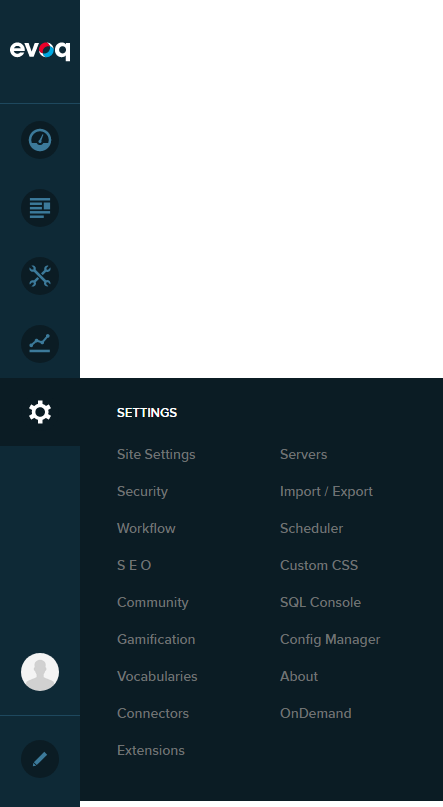
Go to Persona Bar > Settings > Site Settings.
Go to the Search tab, and then the Basic Settings subtab.
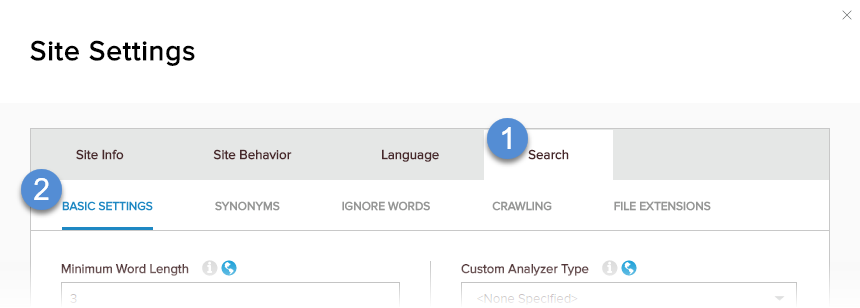
Configure the basic search settings.

Field Description Minimum Word Length
Maximum Word LengthThe range specifying the allowed length of words to be indexed. The word length is the number of single-byte characters in the word. Custom Analyzer Type The full name of the custom analyzer to index the content. To force existing content to be reindexed with the new analyzer, click/tap the Reindex Content of Reindex Host Content buttons in the Search Index section. Enable Partial-Word Search (Slow) If enabled, you can use wildcards to search for substrings inside words; i.e., not at the beginning of the word.